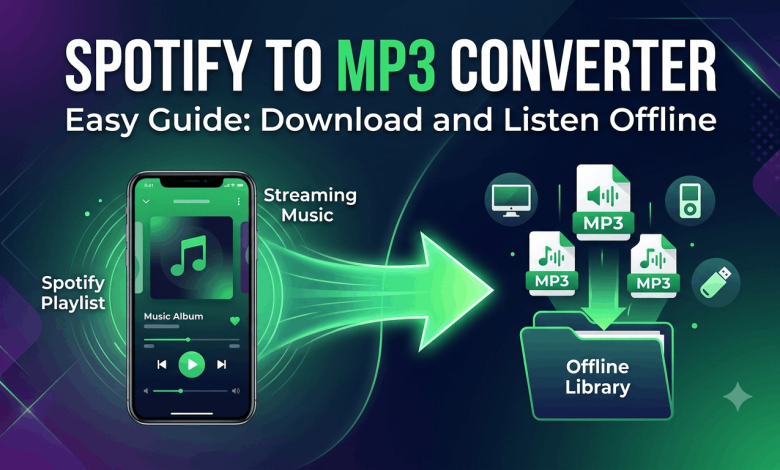
Spotify to MP3: How to Download Spotify Music to MP3 in 2025
You saved a playlist on Spotify months ago. Now you’re about to board a long flight, drive through a dead zone, or hit the gym where your signal drops to nothing. You open Spotify and realize your downloads are locked to the app. You can’t play them anywhere else. Sound familiar?
That’s the wall millions of Spotify users run into. This guide breaks down exactly how the Spotify to MP3 process works, which tools actually deliver clean audio, what you need to watch out for legally and practically, and how to pick the right method based on your situation.
Why You Can’t Just Download Spotify Songs Directly
Spotify streams music using protected files. Even when you hit the download button inside the app, those files are encrypted with DRM (Digital Rights Management). They’re locked to Spotify’s player and tied to your active subscription.
That means the moment your subscription lapses, your offline downloads disappear. You can’t move them to another device, export them to iTunes, or play them in a car stereo that only reads USB drives with MP3 files.
This isn’t a bug. It’s how Spotify’s licensing agreements with record labels work. The platform pays royalties based on streams, and letting users freely export audio would cut into those payments.
What DRM Actually Does to Your Downloads
DRM wraps the audio in a layer of encryption that only Spotify’s app can decode. The file format Spotify uses internally is OGG Vorbis, not MP3. Even if you found the raw file on your device, you couldn’t play it without the decryption key, which only Spotify holds.
Converting Spotify to MP3 requires either recording the audio as it plays or using a tool that strips the DRM during the capture process.
Is It Legal to Convert Spotify Music to MP3?
This is the question most guides dodge. Let’s be direct.
Spotify’s Terms of Service prohibit extracting, downloading, or exporting music outside of what their app allows. Converting songs to MP3 violates those terms, which means Spotify can suspend or terminate your account if they detect it.
From a copyright standpoint, downloading music you don’t own the rights to for permanent offline use generally falls outside of fair use in the United States and most countries. The legality depends on what you do with the file and where you live.
Where It Gets Gray
Some legal experts argue that recording audio you’ve already paid to access, strictly for personal use and never shared, sits in a gray zone similar to recording a song off the radio. Courts haven’t widely tested this in the streaming context.
That said, distributing MP3 files converted from Spotify, using them commercially, or sharing them publicly is clearly illegal in virtually every jurisdiction.
The bottom line: converting for personal use is a personal decision with real legal uncertainty attached. Distributing what you download is a different matter entirely.
The Main Methods to Download Spotify Songs to MP3
There are four practical approaches people use. Each has different tradeoffs in audio quality, ease of use, and risk.
Method 1: Desktop Recording Software
This is the oldest and most straightforward approach. Software like Audacity captures audio as it plays through your computer’s sound card. You press record, play the song in Spotify, and the tool saves the output as an MP3 or WAV file.
The downside is time. You record in real time, which means a 40-minute album takes 40 minutes. You also have to manually trim silence at the start and end of each track and tag the files yourself.
Best for: People with a small list of specific songs and patience to spare.
Method 2: Spotify MP3 Downloader Tools (Third-Party Desktop Apps)
Dedicated Spotify MP3 downloader software automates the recording process. Tools in this category include Sidify, NoteBurner Spotify Music Converter, and TuneFab Spotify Music Converter. You paste a Spotify track or playlist link, set your output format to MP3, choose your bitrate, and let the tool run.
These tools typically record audio through a virtual audio driver rather than your physical speakers, which produces cleaner output without background noise. Most offer batch processing, meaning you can convert an entire playlist overnight.
Paid tools in this space usually run between $20 and $50 for a lifetime license. Free versions often cap you at a few tracks or lower the bitrate.
What to watch for: Some tools advertise speeds like “5x faster than real time” by using a virtual playback method, but audio quality can vary. Always check reviews specifically for bitrate accuracy and whether the metadata (track names, artist tags, album art) carries over correctly.
Method 3: Online Spotify to MP3 Converters
Web-based tools let you paste a Spotify track URL into a browser field and download an MP3 without installing anything. Sites like Loader.to, Spotifydown, and similar platforms have become popular for quick single-track downloads.
These tools work by pulling audio from YouTube or other sources that match the Spotify track, not from Spotify’s servers directly. That’s why the quality tops out at 128kbps on most free platforms, and occasionally you’ll get the wrong version of a song.
The convenience factor is real. No software, no setup, no account needed. But you’re trusting a third-party website with your activity, and ad-heavy sites often push users toward sketchy software installs.
Best for: One-off downloads when you need a single track fast.
Method 4: YouTube Music or Other Platforms First
Some people sidestep Spotify entirely. If the song you want is on YouTube, you can use a YouTube to MP3 converter to get the file and skip Spotify’s DRM altogether. YouTube Music, SoundCloud, and Bandcamp all host music with different (often less restrictive) access models.
This isn’t a Spotify-specific method, but it’s worth knowing. If the artist you want has a YouTube presence, you might already have a cleaner path to the MP3.
How to Download Spotify Music to MP3 Using a Desktop App (Step-by-Step)
This walkthrough uses the general workflow shared by most paid Spotify MP3 downloader tools. Specific button names vary by software, but the steps follow the same order.
- Download and install your chosen converter on your Windows or Mac computer. Most tools offer a free trial so you can test quality before paying.
- Open Spotify on the same computer and log into your account.
- Find the track, album, or playlist you want to convert. Right-click it and copy the Spotify link from the “Share” menu.
- Open the converter tool and paste the Spotify link into the input field. Most tools have a prominent search or paste bar at the top.
- Set your output format to MP3. Choose your bitrate. 320kbps gives you the highest quality. 256kbps is a solid middle ground. 128kbps is passable for casual listening but noticeably compressed on good speakers.
- Choose your output folder so you know exactly where files will save.
- Click Convert or Download. The tool will play through each track internally and save the MP3 files to your chosen location.
- Once done, open your output folder and check a few files. Play them, check the metadata, and confirm the file names are accurate.
- Move files to your phone, USB drive, car stereo, or any device you want.
How to Convert Spotify to MP3 Using an Online Tool (Step-by-Step)
If you need a quick download without installing software, web-based converters get the job done for single tracks.
- Open Spotify in your browser or desktop app. Find the song you want.
- Click the three dots next to the track, go to Share, and select “Copy Song Link.” You’ll get a URL that looks like: open.spotify.com/track/…
- Open your chosen online converter in a new browser tab.
- Paste the Spotify URL into the input field and hit Convert or Download.
- The site will process the track. This usually takes 10 to 30 seconds.
- When the download option appears, click it and save the MP3 to your device.
- Check the file quality and confirm the track name is correct before you close the tab.
Note: Online tools can go offline, change their URL, or get taken down. If a site stops working, it’s usually because it was blocked or shut down. Don’t rely on any single web tool for large batch downloads.
Spotify to MP3 Audio Quality: What to Actually Expect
Spotify streams at up to 320kbps for Premium subscribers using the highest quality setting. Free accounts get 128kbps by default.
When you convert Spotify to MP3, the output quality depends on two things: what Spotify was streaming at the time of conversion, and what bitrate your converter saves the file at.
The Transcoding Problem
Going from Spotify’s OGG Vorbis format to MP3 is a lossy-to-lossy conversion. Both formats compress audio, and converting between them introduces a second round of quality loss. Even if you save the file at 320kbps MP3, the audio that was already compressed once will compress again during conversion.
The difference is subtle to most listeners on standard earbuds. On audiophile-grade headphones or a good stereo system, you’ll notice it. If audio quality is your top priority, lossless sources like FLAC files from Bandcamp or Apple Music’s lossless tier are a better starting point than Spotify.
Metadata and Tags
Good converter tools pull track metadata automatically: artist name, album title, track number, album art. Cheaper or free tools often skip this, leaving you with files named “Track01.mp3” and no artwork. Spend two minutes in your converter settings to confirm metadata is being written correctly before you run a 200-song playlist.
Spotify Premium vs Free: Does It Affect MP3 Downloads?
Your Spotify tier matters when converting audio. Premium accounts stream at up to 320kbps, while free accounts are capped at 128kbps. A converter can only capture what Spotify is playing, so the source quality ceiling is tied to your subscription.
If you’re going to invest time converting a large library, use a Premium account and set Spotify’s streaming quality to “Very High” before you start. The difference between 128kbps and 320kbps source audio is real, and you won’t be able to recover quality that wasn’t there when the file was created.
The Risks of Third-Party Spotify Downloader Tools
Using third-party tools to download Spotify music to MP3 comes with a few real risks worth understanding before you commit.
Account termination is possible. Spotify’s detection systems monitor for unusual activity. Running a converter that plays through tracks faster than normal can trigger flags on your account. Some users report temporary bans; others report permanent termination of accounts they’ve had for years.
Malware risk is real with free tools. Sites offering “free Spotify MP3 downloader” downloads are frequently used to push adware, browser hijackers, or worse. If you’re downloading software, stick to well-reviewed paid tools with verifiable publishers.
Legal exposure is low but not zero for personal use. Legal exposure rises sharply if you share, sell, or redistribute files.
Data privacy on web-based converters is murky. You’re sending a Spotify URL to a third-party server, and some of these sites log what you search for.
Alternatives to Converting Spotify Songs to MP3
If the risks above give you pause, there are cleaner routes to owning MP3 files legally.
Bandcamp lets artists sell their music directly. Most releases include a high-quality MP3 or FLAC download option. You pay once and own the file permanently.
iTunes Store and Amazon Music still sell individual tracks and albums as MP3 downloads. Prices run $0.99 to $1.29 per track for most catalog music.
YouTube Music’s free tier lets you listen ad-supported. Some content is available for download without premium if the artist has enabled it.
Free and legal music from artists who release under Creative Commons licenses is available through platforms like Free Music Archive and ccMixter.
None of these options give you Spotify’s full catalog, but they’re the cleanest way to get permanent MP3 files you actually own.
Frequently Asked Questions About Spotify to MP3
Can I download Spotify songs to MP3 for free?
Yes, online web converters and free trial versions of desktop software let you convert Spotify tracks to MP3 without paying. Free web tools typically cap quality at 128kbps and limit how many tracks you can download per day. Free trials of desktop apps usually restrict batch size or track count. For large libraries or higher quality, paid software is more reliable.
Does converting Spotify to MP3 ruin the audio quality?
It can. Spotify streams in OGG Vorbis format, and converting to MP3 means compressing already-compressed audio a second time. The quality loss is minor at higher bitrates but audible if you’re using quality headphones or speakers. Setting Spotify to its highest streaming quality before converting helps minimize the drop.
Will Spotify ban my account for using a converter?
Spotify’s Terms of Service prohibit extracting audio outside of their app. Using third-party converters can trigger automated account reviews, and some users have had accounts suspended. The risk is real but varies. Using a converter occasionally is less likely to trigger flags than running a tool that blasts through hundreds of tracks in an hour.
What is the best Spotify MP3 downloader in 2025?
Paid desktop tools like Sidify, NoteBurner, and TuneFab consistently receive strong reviews for output quality, metadata handling, and batch processing. For single-track web downloads, Loader.to and Spotifydown work for quick use. The best tool for you depends on how many tracks you need and how much audio quality matters.
h3 Can I download Spotify playlists to MP3?
Yes. Most desktop Spotify MP3 converter tools support full playlist downloads. You paste the playlist link, the tool queues every track, and converts them in sequence. Web-based tools usually handle single tracks only and require you to paste each song link individually.
What MP3 bitrate should I choose for Spotify downloads?
320kbps is the highest standard MP3 bitrate and the best choice if you’re using a Premium Spotify account streaming at Very High quality. 256kbps is a reasonable compromise that saves storage space without a noticeable drop for most listeners. 128kbps is the minimum for acceptable listening and matches what Spotify’s free tier streams.
How do I convert Spotify music to MP3 on iPhone or Android?
Direct conversion on mobile is significantly harder because iOS and Android restrict the kind of audio capture that desktop tools use. Some apps claim to offer Spotify to MP3 conversion on mobile, but they frequently violate app store policies and get removed. The most reliable method remains using a desktop computer and transferring the MP3 files to your phone afterward.
Do I need Spotify Premium to download MP3s?
You don’t technically need Premium, but it helps. Free accounts stream at lower bitrates, which limits the quality ceiling of any MP3 you produce from that stream. Premium also lets Spotify download tracks within the app, which some converter tools use as their source. For the best results, Premium is worth it if you’re building a large offline library.
Are online Spotify to MP3 converters safe?
Some are, many aren’t. Well-known tools with active user communities and clean track records are generally safer. Sites stuffed with pop-up ads, redirects, or download prompts for “required software” should be avoided immediately. If a site asks you to install anything to complete a conversion, close the tab.
Can I use converted Spotify MP3 files commercially?
No. Converting Spotify audio to MP3 and using those files in commercial projects, videos, podcasts, or any monetized content is copyright infringement. For commercial use, you need a proper license from the rights holder or a royalty-free music library.
Get Your Music Where You Need It
The path from Spotify to MP3 is real and usable, but it’s not without tradeoffs. The cleanest approach for most people is a reputable paid desktop converter, Spotify Premium streaming at maximum quality, and a clear sense of what you’re using the files for.
If you want something simpler with no gray areas, buying tracks from Bandcamp or the iTunes Store gives you DRM-free MP3 files you own outright, with no conversion needed and no account risk.
For more on managing your music library across platforms and devices, check out related guides on reuterings.com covering streaming tools, audio quality comparisons, and app-by-app breakdowns of the best ways to listen offline.