You’re scrolling through Instagram, curious about someone maybe a new date, an old friend, or just someone you follow and you want to know what they’ve been liking. It’s a perfectly normal thing to wonder. The problem? Instagram doesn’t make it easy. In fact, for most users, that feature is gone. But not everything is locked away. There are still ways to see certain activity, check your own liked posts, find out who liked your content, and even pick up on what someone’s into without needing direct access to their likes. This guide breaks down exactly what’s possible, what’s not, and why it matters.
What Happened to Instagram Likes — and Why You Can’t Just Click and See
Back in 2021, Meta made a significant shift. Instagram quietly removed the ability for users to see a full list of what other people had liked. Before that update, you could tap on a post’s like count and scroll through every account that had liked it. That’s no longer an option for regular posts.
Adam Mosseri, Instagram’s head, framed the change as a move toward reducing social pressure around likes. Whether you agree with that reasoning or not, the practical effect is the same: a lot of the like-browsing behavior people used to do is now blocked at the platform level.
This doesn’t mean all visibility is gone. It just means you need to know where to look and what you’re actually looking for.
Can You See What Someone Likes on Instagram Right Now?
The honest answer is: not directly, not anymore. Instagram removed the public like list feature, so you can’t open someone’s profile and see a running feed of posts they’ve recently liked.
What you can do is catch glimpses through other parts of the app. If someone likes a post and you’re also a follower of that account, you might see a notification that says “[username] and others liked this.” That’s not a searchable feature — it’s just something that surfaces occasionally in your activity tab.
You can also pay attention to the Explore page and Reels feed. Instagram’s algorithm surfaces content based on what accounts you interact with, and if someone you’re connected to has been engaging with a certain type of content, there’s a chance similar content shows up for you too. It’s indirect, but it’s real.
How to See What Someone Likes on Instagram — The Methods That Still Work
There’s no single feature that shows this directly anymore, but a few native behaviors still give you partial visibility if you know where to look.
Check the Activity Notifications Tab
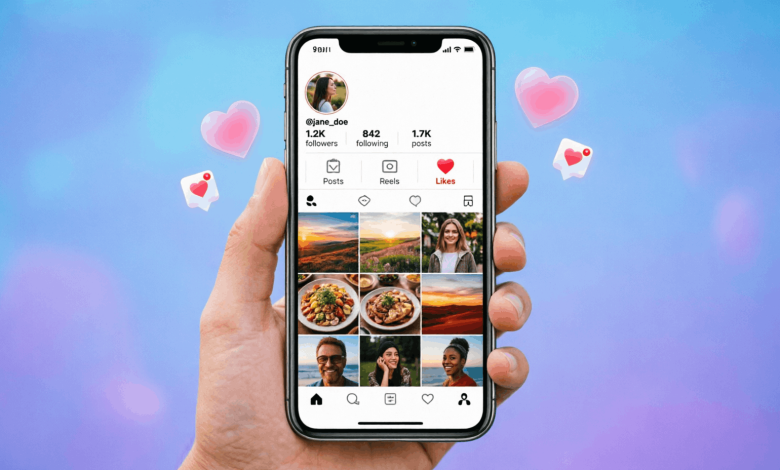
Go to your Instagram home screen and tap the heart icon at the bottom (or top right, depending on your app version). This is your activity feed. Sometimes Instagram shows you when people you follow like posts from accounts you also follow. It doesn’t always appear, and you can’t filter by person, but it’s one of the few native ways to catch this information.
Watch Their Instagram Stories and Reels Engagement
If someone actively likes or comments on Stories and Reels from specific accounts, those accounts often tag or reshare that engagement. Keep an eye on the accounts the person you’re watching tends to interact with. It takes a little patience, but patterns become clear over time.
Use the “Following” Activity (If You Can Still Access It)
Older versions of Instagram had a “Following” tab inside the activity section that showed you what the people you followed were liking and commenting on. Instagram removed this in 2019. If someone mentions this method in 2025, it no longer works. Don’t waste your time on tutorials that reference it.
Look at Mutual Posts and Comments
If you and the person follow the same accounts, check the comment sections. People who like content often comment too, and comments are still fully public. This gives you a real window into what someone’s engaging with.
How to See Your Own Likes on Instagram
This one’s straightforward. Instagram lets you see every post you’ve ever liked, and the list is saved in your account settings.
Steps to find your liked posts on Instagram:
- Open the Instagram app and go to your profile.
- Tap the three horizontal lines (menu) in the top right corner.
- Select “Your activity.”
- Tap “Interactions.”
- Choose “Likes.”
You’ll see a full list of posts you’ve liked, sorted from most recent to oldest. You can unlike posts from this screen too. This is one of the most underused features on the app, and it’s actually useful if you want to go back and find something you liked weeks ago.
How to See Who Liked Your Post on Instagram
Seeing who liked your content is a different story and Instagram still supports this fully.
For personal accounts:
- Open the post you want to check.
- Tap on the like count below the image or video.
- A list of everyone who liked that post will appear.
For business and creator accounts, Instagram Insights gives you even more. You can see not just who liked your posts, but reach, impressions, profile visits, and follower demographics. If you’re running any kind of content strategy and you’re on a personal account, switching to a creator account is worth considering for this reason alone.
One thing to keep in mind: if someone likes your post and then unlikes it, their name won’t appear on that list. Instagram doesn’t show you unlike history.
Third-Party Apps That Claim to Show Someone’s Instagram Likes
Search the app store and you’ll find a bunch of apps promising to show you who someone likes, who viewed their profile, or their full activity feed. Names like Snoopreport and FollowMeter come up often.
Here’s what’s true and what isn’t.
Some tools like Snoopreport do pull limited public activity data using Instagram’s API — things like hashtags a person recently interacted with and public accounts they’ve been engaging with. These aren’t perfect, and they only work on public accounts. They also require you to pay, and the data accuracy varies a lot.
The apps that promise to show you private activity, likes on private accounts, or full like histories are almost always scams. They’ll ask for your Instagram login, your email, or even payment information, and deliver nothing useful. Some are outright dangerous — giving your credentials to a third party puts your account at risk of being hacked or permanently banned.
The rule of thumb: if an app promises more than Instagram’s own API allows, it’s lying to you.
Why People Search for This The Dating and Relationship Angle
Let’s be real. Most people searching “how can I see what a person likes on Instagram” aren’t doing academic research. They’re curious about someone they’re dating, someone they used to date, or someone they’re interested in.
And there’s nothing wrong with that. Instagram activity can tell you a lot about a person — the type of content they engage with, the accounts they follow, the things they care about. If you’re in the early stages of getting to know someone, their Instagram behavior is one more layer of who they are.
That said, there’s a line between healthy curiosity and something that starts to feel obsessive. If you’re checking someone’s Instagram activity multiple times a day and feeling anxious about what you find, that’s worth reflecting on. Social media gives you a curated window into someone’s world, not the full picture.
If you’re dating someone and you want to understand their interests better, following them and paying attention to what they post and comment on is much more reliable than trying to track their likes. What someone chooses to put out publicly says more than what they quietly double-tap.
For more on how social media shapes modern relationships, check out the related articles on reuterings.com covering dating in the social media era.
How to Get More Likes on Instagram If That’s What You’re After
Maybe you’re not trying to see someone else’s likes. Maybe you want more of your own. Getting more likes on Instagram in 2025 comes down to a handful of real practices that actually move the needle.
- Post at the right time. Your audience is most active at specific hours. Instagram Insights (available on creator and business accounts) shows you exactly when your followers are online. Post within that window.
- Use Reels. Instagram’s algorithm pushes Reels significantly harder than static posts. If your content works in video format, Reels will get you more reach and more likes than a photo post every time.
- Write captions that encourage engagement. Asking a question or sharing something personal in your caption gives people a reason to respond. More comments signal to the algorithm that the post is worth showing to more people, which leads to more likes.
- Use location tags and relevant hashtags. These still help with discoverability, especially for local audiences or niche communities.
- Engage before you post. Spend 10–15 minutes liking and commenting on content in your niche before you publish something. It warms up your account’s activity signal right before your post goes live.
- Collaborate with other accounts. Mentions, collabs, and co-created Reels expose your content to new audiences who are already interested in what you create.
None of these are shortcuts. But if you apply them consistently, you’ll see your engagement climb over a few weeks.
Frequently Asked Questions About How to See What a Person Likes on Instagram
Can you see what photos someone likes on Instagram?
No, not with Instagram’s native features. Instagram removed the ability to browse another user’s liked posts in 2021. You might occasionally see a notification that someone liked a post you also follow, but there’s no dedicated tab or list you can access.
Why can’t I see what someone likes on Instagram?
Instagram removed the public like-browsing feature as part of a platform update. The company said this was to reduce social pressure around engagement metrics. The feature hasn’t returned, and there’s no indication it will.
How do I see my own liked posts on Instagram?
Go to your profile, tap the menu icon, select “Your activity,” then “Interactions,” then “Likes.” You’ll find a full list of every post you’ve liked, sorted from newest to oldest.
Is there an app to see what someone likes on Instagram?
Some third-party apps like Snoopreport claim to track public Instagram activity, including hashtag engagement and followed accounts. These only work on public profiles and aren’t fully accurate. Apps that promise to show likes on private accounts are almost always scams and can compromise your account security.
Can someone tell if you look at their Instagram likes?
No. Instagram doesn’t notify users when someone views the like list on their post. You can check who liked a post without the poster knowing you looked.
How do you see who liked someone else’s post on Instagram?
Tap on the like count on any public post. A list of usernames who liked that post will appear. This only works on public accounts or accounts you follow if the post is public. Business accounts on private mode won’t show this.
How do I get more likes on Instagram?
Post Reels, publish content when your audience is most active (check Instagram Insights), write captions that invite engagement, and use relevant hashtags. Consistent posting and genuine interaction with your niche community are the two things that drive likes more than anything else.
Does Instagram show your liked posts to your followers?
No. Instagram does not publicly display your liked posts on your profile or broadcast them to your followers in a dedicated feed. Followers might occasionally see activity mentions in their notification tab, but it’s not systematic.
Can you see someone’s activity on Instagram if they’re private?
No. Private accounts restrict all content, including likes, comments, and posts, to approved followers only. You won’t see any activity data from a private account unless you follow them and they accept your request.
What does Instagram show about someone’s activity?
Instagram shows limited public information: posts, Reels, Stories (for 24 hours), profile details, and follower/following counts on public accounts. Likes given by other users, DMs, and search history are private and not visible to anyone else on the platform.
What You Can Actually Do With This Information
Instagram’s like visibility has shrunk significantly over the past few years, and that’s not going to reverse. What you can do is work with what the platform still allows: check your own liked posts, see who engaged with your content, use creator account insights, and pick up on behavioral patterns through public comments and Story activity.
If you’re trying to understand someone’s interests on Instagram, their profile, their posts, and the accounts they publicly engage with will tell you more than any hidden like list ever could.
Want to go deeper on how social media behavior affects dating and relationships? Reuterings.com has more on navigating the social media era of modern dating — worth reading if you’re trying to make sense of someone’s online presence.