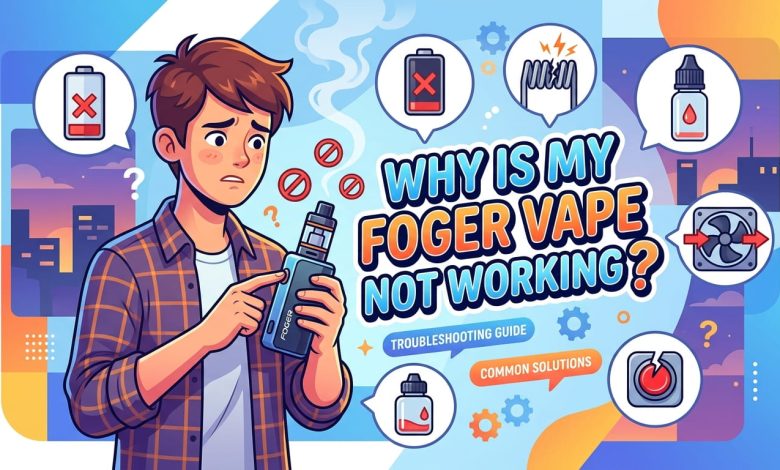
You just took a long pull and got nothing, no vapor, no flavor, not even a flicker from the LED. If you’re asking why is my foger vape not working, you’re dealing with one of the most common frustrations vape owners run into, and the good news is that most fixes take less than five minutes. This guide walks through every common cause, from dead batteries to clogged contact pins, so you can get back to vaping without buying a replacement you don’t actually need.
You’ll learn exactly what to check first, how to read your device’s LED signals, and when a problem actually means it’s time to replace the pod instead of troubleshooting further.
Start Here: The Fastest Fixes First
Before assuming your device is broken, run through these three checks in order. They solve the vast majority of Foger vape complaints in under ten minutes.
- Remove the shipping sticker. Foger ships new devices with a transparent sticker covering the airflow holes on the bottom to prevent accidental activation during shipping. If your device has never worked, check for this sticker first.
- Charge it fully. Foger typically ships devices at a partial charge to comply with shipping regulations, so a brand-new unit that won’t hit often just needs 30 to 45 minutes on the charger.
- Clean the contact pins. Wipe the gold magnetic pins between the pod and the battery dock with a dry cloth or cotton swab. E-liquid residue and pocket lint build up here constantly and block the electrical connection.
If none of these solve it, the sections below break down each specific symptom in detail.
Why Won’t My Foger Vape Hit
When your foger vape stopped working and won’t produce vapor no matter how hard you draw, the cause usually falls into one of four categories.
Dead or Low Battery
A battery that’s dropped below roughly 10 percent often can’t deliver enough voltage to fire the coil properly, even if the device technically still turns on. You’ll typically notice weak, thin vapor before the device stops firing entirely. Charge the dock fully using a standard USB-C cable and a basic wall adapter, and avoid fast chargers, since they can sometimes deliver more current than the internal circuitry expects.
Blocked Airflow
Check the small airflow holes on the bottom of the battery dock and the base of the pod. Dust, lint, and dried e-liquid can block these vents over time, which either restricts airflow entirely or confuses the device’s draw-activation sensor. A quick burst of air across the opening usually clears this out.
Dirty Contact Pins
This is genuinely the most common cause of a fully charged Foger vape that still won’t hit. The gold magnetic pins connecting the pod to the dock pick up e-liquid residue and pocket lint just from normal daily use. Clean them with a dry tissue or cotton swab every week or so, and you’ll prevent most connection issues before they start.
Empty or Flooded Pod
If your pod still shows visible e-liquid through the viewing window but won’t produce vapor, the coil has likely burned out. This typically happens from chain vaping, which keeps the coil too hot to stay saturated with liquid, or from storing the pod on its side, which lets the wick dry out unevenly. Once a coil burns out, there’s no fix for it. The remaining e-liquid is unusable since the wick itself is damaged, so you’ll need to replace the pod.
Why Is My Foger Vape Not Charging
If nothing lights up when you plug your device in, work through these steps in order:
- Try a different cable and USB port. A faulty cable is a more common culprit than people expect, and it’s the easiest thing to rule out first.
- Confirm your charger’s output. Standard 5V outlets work fine. Skip fast-charging bricks designed for phones, since the higher voltage isn’t always compatible with vape charging circuits.
- Check for physical damage at the charging port. Bent pins or visible debris inside the port can prevent a solid connection even with a good cable.
- Give it a genuine 30 to 45 minutes before assuming the battery itself is dead. Some units need a longer initial charge than you’d expect before the LED indicator even appears.
If the device still shows no signs of life after all of this, the internal battery may have failed and the unit likely needs replacing rather than repairing.
Understanding Your Foger Vape’s LED Signals
Most Foger devices communicate problems through LED blink patterns rather than a text display, so learning what your light is telling you saves a lot of guesswork.
A steady light while charging typically means everything is working normally. A blinking light when you try to draw usually points to a dead or critically low battery. If the light does nothing at all, even when connected to a charger, that often signals a deeper battery or circuit issue rather than something you can troubleshoot at home.
Foger Vape Battery Not Working: When to Replace Instead of Repair
Sometimes a device really is done, and no amount of cleaning or charging brings it back. Consider replacing your Foger vape rather than continuing to troubleshoot if:
- The battery won’t hold a charge even after a full 45-minute charging session
- You can see e-liquid pooling inside the battery dock itself, which usually means internal circuitry damage
- The device has been dropped hard or exposed to significant moisture
- You’ve cleaned the contacts, confirmed a full charge, and swapped in a known-working pod, and it still won’t fire
Trying to force a genuinely damaged device to work rarely ends well, and in some cases can be a safety risk. When in doubt, replacing the unit is the safer call.
Frequently Asked Questions About Foger Vapes Not Working
Why won’t my Foger vape hit even though it’s charged?
The most likely cause is dirty magnetic contact pins between the pod and the battery dock, not the battery itself. E-liquid residue and pocket lint build up on these pins and block the electrical connection, so wiping them with a dry cloth solves this in most cases.
Why did my Foger vape stop hitting suddenly?
A sudden stop usually means either the coil has burned out from chain vaping, the airflow vents have become blocked, or the battery has dropped to a level too low to fire the coil properly. Check the e-liquid level first, since a pod that still shows liquid but won’t hit typically has a burned-out coil.
Why is my Foger vape not charging?
Try a different USB cable and port first, since a faulty cable is one of the most common causes. If that doesn’t work, check for debris in the charging port and make sure you’re using a standard charger rather than a fast-charging brick.
Why is my Foger vape battery not working?
A battery that won’t hold a charge after a full 45-minute charging attempt has likely reached the end of its usable life. This is especially true if the device has been dropped or exposed to moisture, both of which can damage the internal battery over time.
How do I know if my Foger pod is empty or just clogged?
Check the viewing window on the side of the pod for visible e-liquid. If liquid is still present but you’re getting no vapor, the issue is almost always a burned-out coil rather than an empty pod, and replacing the pod is the only fix.
Can I fix a burnt-tasting Foger vape?
A burnt taste usually means the coil dried out from chain vaping or low e-liquid levels, and this damage isn’t reversible. Waiting a few seconds between draws going forward helps prevent it from happening again with a fresh pod.
Is it safe to keep using a Foger vape that won’t stop blinking?
Persistent blinking usually indicates a battery or connection issue rather than a safety hazard on its own, but you shouldn’t force a device to fire if it’s clearly malfunctioning. If cleaning the contacts and fully charging the device doesn’t resolve the blinking, replacing the unit is the safer choice.
How often should I clean my Foger vape’s contact pins?
Cleaning the gold contact pins about once a week with a dry cloth prevents the majority of connection issues before they start. This small habit takes just a few seconds and can significantly extend how reliably your device fires.
Get Your Foger Vape Working Again
Most Foger vape problems come down to a handful of simple culprits: a low battery, dirty contact pins, blocked airflow, or a burned-out coil. Work through the fixes in order, starting with the fastest ones, and you’ll solve the majority of issues without needing a replacement.
If you’re curious about extending the life of your other everyday electronics, check out our guide on simple maintenance habits that prevent common device failures on reuterings.com.