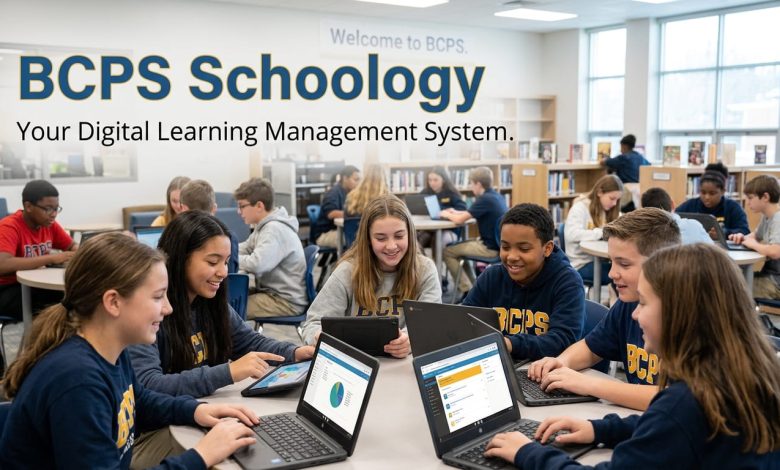
Your kid comes home and says “check Schoology for my grade” and you have no idea where to even start. That’s the reality for thousands of Baltimore County families every school year. BCPS Schoology is the digital hub where Baltimore County Public Schools posts assignments, grades, messages, and course materials for every student across the district’s 176 schools. This guide walks you through how to log in, what the platform actually does, and how to fix the problems parents run into most often.
What Is BCPS Schoology?
Schoology is a learning management system, and Baltimore County Public Schools has used it as its main digital classroom platform since shifting away from older tools. Teachers post homework, quizzes, and class materials here. Students turn in work and check their scores. Parents log in separately to keep tabs on what’s happening in class without having to email the teacher every week.
The platform is built by PowerSchool, a company that also runs BCPS’s student information system. That connection matters because it’s why grades and rosters sync automatically between systems instead of requiring teachers to enter the same data twice.
BCPS serves more than 111,000 students across 176 schools, so the district needed something that could handle that scale without falling apart during a Monday morning login rush. Schoology has mostly held up to that job, though like any large district system, it isn’t immune to occasional outages.
How To Log In To Schoology BCPS
Student Login
Students log in through bcps.schoology.com using their BCPS One credentials, the same username and password they use for other district tools. There’s no separate Schoology-specific password to remember, which cuts down on the “I forgot my login” texts home.
If a student can’t remember their credentials, the school’s front office or the classroom teacher can reset them. It usually takes a few minutes, not days.
Parent Login
Parents don’t use their child’s login. Instead, you’ll need a myBCPS account, created at mybcps.bcps.org. Once your account is verified and connected to your student’s record, you can view their Schoology activity directly.
To link your account, the school needs your email address, first and last name, and confirmation of your educational rights on file. If you have more than one child in the district, you can switch between them using the “My Children” menu instead of juggling separate logins for each kid.
One thing worth knowing: BCPS actually recommends parents set up their own account rather than borrowing their student’s login. It gives you a cleaner view and avoids mixing up notifications meant for your child with ones meant for you.
Schoology BCPS Mobile App
The mobile app covers pretty much everything the desktop site does, and it’s available for both iOS and Android. During setup, search for “Baltimore County Public” in the school list. You’ll see three similar options, so pick the one marked with a green dot on the right side. Picking the wrong one is a common setup mistake, and it’ll leave you locked out until you start over.
Once you’re in, the app mirrors your web credentials. Students check assignments and grades from their phone, and parents toggle between multiple kids using the same “My Children” feature available on desktop. Push notifications flag new grades, messages, and assignment postings in real time, so you’re not stuck refreshing the browser every hour.
One practical note from actually using it: offline mode lets you view content you’ve already loaded, but you’ll need a connection to submit new work or see fresh updates.
What Can You Actually Do In BCPS Schoology?
For Students
- Submit assignments and check due dates in one place
- View posted grades and teacher feedback
- Join class discussion boards and respond to classmates
- Access shared files, readings, and course materials
- Use built-in Google Drive integration to open and edit documents without leaving the platform
For Parents
- Monitor grades and missing assignments as they’re posted
- Read announcements and messages from teachers
- Switch between multiple children’s accounts
- Track attendance-related updates when schools post them
For Teachers
Teachers build out course pages, post materials, grade submissions, and moderate class discussions. Schoology also connects with Microsoft Teams, Office 365, and Google Workspace, so instructors already using those tools for lesson planning don’t have to abandon them to use Schoology.
Common Schoology BCPS Problems And How To Fix Them
Even solid systems have rough days, and Schoology BCPS is no exception. Here’s what tends to go wrong and what actually helps.
“I Can’t Log In”
Double-check you’re using BCPS One credentials, not an old Schoology-only password from a previous school year. If the login page rejects you repeatedly, contact your school’s front office instead of guessing at password combinations, since too many failed attempts can temporarily lock the account.
“The Site Is Down”
BCPS has had district-wide Schoology outages before, including one where the district posted a public update once access was restored. If the platform won’t load for you and classmates, it’s likely a broader outage rather than something on your end. Check the PowerSchool status page or your school’s social media for confirmation before assuming it’s your device.
“I Linked The Wrong Student” Or “I Can’t See My Child’s Grades”
This almost always comes back to account verification. If your myBCPS account isn’t fully connected to your student’s record, contact the school directly. They’ll confirm your parental rights on file and complete the link on their end.
“The App Won’t Sync”
Log out completely and log back in. If that doesn’t fix it, confirm you selected the correct “Baltimore County Public” option with the green dot during setup, since choosing the wrong district listing is a frequent cause of sync issues.
Schoology Support Resources For BCPS Families
If you’re stuck beyond a quick fix, BCPS runs an Innovation HUB website with documentation covering account setup, general navigation, and troubleshooting steps. Teachers also have access to a Professional Learning group inside Schoology itself, along with a dedicated Educational Technology YouTube channel walking through specific features.
For anything account-specific, your child’s school technology department is your fastest resource. District-wide help desks are useful for platform-wide issues, but individual account linking problems get resolved faster at the school level.
Frequently Asked Questions About BCPS Schoology
What is BCPS Schoology used for?
BCPS Schoology is the learning management system Baltimore County Public Schools uses to post assignments, grades, class materials, and messages. Students and teachers use it daily for coursework, and parents use it separately to track their child’s academic progress.
How do I access Schoology BCPS as a parent?
You’ll need a myBCPS account, created at mybcps.bcps.org, connected to your student’s school record. Once verified, log in with those credentials rather than your child’s student login to view their Schoology activity.
What credentials do I use to log into BCPS Schoology?
Students log in with their BCPS One username and password, the same credentials used across other district systems. Parents use their separate myBCPS account login instead.
Why can’t I log into Schoology BCPS?
Login failures usually come from using outdated credentials or selecting the wrong “Baltimore County Public” option during app setup. If the issue persists after confirming your login details, contact your school’s technology department for a reset.
Is there a BCPS Schoology app?
Yes. The Schoology app is available on the Apple App Store and Google Play Store, and it mirrors nearly all the functionality of the desktop site, including grade checks, assignment submissions, and push notifications.
Can parents see grades on Schoology BCPS?
Yes, once your myBCPS account is verified and linked to your student. Teachers post grades and feedback directly on submitted work, and parents can view updates as they’re posted rather than waiting for report cards.
How many students use BCPS Schoology?
Baltimore County Public Schools serves more than 111,000 students across 176 schools, and Schoology is the primary digital platform connecting nearly all of them to their coursework and grades.
What do I do if BCPS Schoology is down?
Check the PowerSchool status page or BCPS’s official social media accounts to confirm a district-wide outage. If it’s confirmed, the issue is on the platform’s end, and access typically returns once the district resolves it.
Getting The Most Out of BCPS Schoology
Between BCPS One credentials for students and myBCPS accounts for parents, most login issues come down to using the wrong account type or picking the wrong district option during app setup. Once you’re properly connected, Schoology gives you a real-time view of grades, assignments, and teacher communication that most families end up relying on daily. If you’re still setting up your account or troubleshooting access, your school’s technology department remains the fastest path to a fix.