You checked your follower count this morning and noticed it dropped. Again. You have no idea who left, and Instagram isn’t about to tell you. That quiet frustration is something millions of users deal with every day, and the platform has never added a native way to track it. Whether you’re managing a personal brand, growing a business account, or just curious about who stopped following you on Instagram, this guide walks you through every method that actually works, from manual checking to the best third-party tracker apps available right now.
Why Instagram Doesn’t Tell You Who Unfollowed You
Instagram made a deliberate choice not to notify users when someone unfollows them. The reasoning is straightforward: the platform wants interactions to feel organic, not transactional. If every unfollow triggered a notification, it would create anxiety, conflict, and a worse overall experience.
That said, the data still exists. You just need to know where to look or which tools to use.
There’s also a business angle. Instagram’s parent company, Meta, benefits when users stay on the app longer. Chasing unfollow data keeps you engaged. But instead of building that feature natively, they’ve left the door open for third-party apps to fill the gap.
How to See Who Unfollowed You on Instagram Manually
No app needed for this method. It takes a little time, but it’s completely free and doesn’t require handing over your login credentials to anyone.
Step 1: Go to Your Followers List
Open Instagram and tap your profile icon in the bottom right corner. Tap “Followers” to pull up the full list.
Step 2: Search for a Specific Person
If you suspect a specific account unfollowed you, type their username in the search bar within your followers list. If their name doesn’t appear, they’ve unfollowed you or they’ve blocked you.
Step 3: Visit Their Profile to Confirm
Go to their profile directly. If you see a “Follow” button (meaning you follow them but they don’t follow you back), that confirms they unfollowed you. If the account is private and you can’t see their posts, there’s a good chance they’ve either removed you or blocked you.
This method works well for checking one or two specific accounts. It’s not practical if you want to audit your entire following list or identify multiple unfollowers at once.
How to Check Who Doesn’t Follow You Back on Instagram
There’s an important difference between someone who unfollowed you and someone who never followed you back. Both are worth knowing.
The Manual Comparison Method
Go to your profile. Note your “Following” count. Then tap it to see the list. Compare it against your “Followers” list. Anyone you follow who doesn’t appear in your followers list isn’t following you back.
This is tedious for accounts with large lists. For accounts following fewer than 200 people, it’s manageable. For anything beyond that, use an app.
Using Instagram’s Own “Following” Filter
Instagram added a sorting feature in the Following list. Tap “Following,” then look for the option to sort or filter. You may see a “Least Interacted With” filter, which can surface accounts that don’t engage with your content and may not follow you back. This isn’t a perfect unfollowers tool, but it gives useful context.
How to Know Who Unfollowed You on Instagram Using Tracker Apps
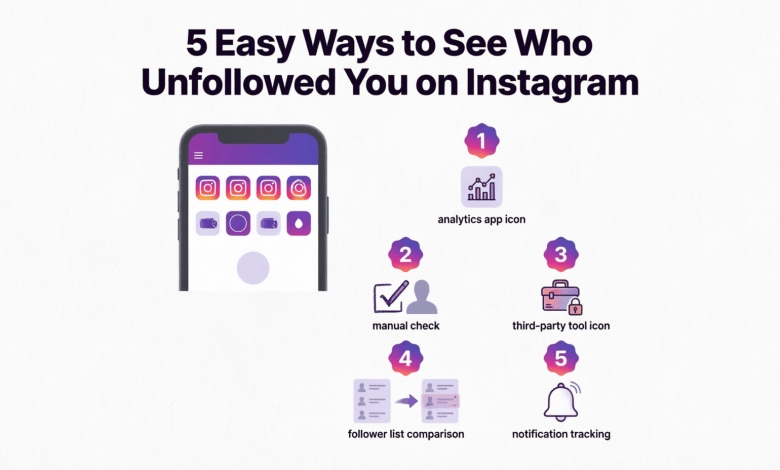
Third-party Instagram unfollowers tracker apps are by far the most efficient method. They connect to your Instagram data (via Instagram’s API or by analyzing your account), then show you a clear list of who followed and unfollowed you over time.
Before you use any of these apps, know this: Instagram has strict rules about third-party apps accessing user data. Apps that ask for your Instagram password directly are a serious security risk. Only use apps that connect through Instagram’s official login system (OAuth).
FollowMeter
FollowMeter is one of the most downloaded Instagram analytics apps. It shows you new followers, unfollowers, people who don’t follow you back, and people you don’t follow back. The free version covers basic tracking. The paid version unlocks detailed history and daily tracking.
It’s available on both iOS and Android, and it connects through Instagram’s official authorization, so you’re not handing over your password.
Reports+ for Instagram
Reports+ gives you a breakdown of follower activity including who unfollowed you, who your ghost followers are, and who blocked you. The interface is clean and easy to read. The free version shows limited history; the subscription plan gives you access to longer tracking periods.
This app is particularly useful if you manage a creator or business account and want to see trends over time.
Followers & Unfollowers (by SocialKit)
This app focuses specifically on tracking follower changes. You get a running log of who followed and unfollowed you, updated regularly. It’s straightforward with no unnecessary extras. Good choice if you want simple tracking without a complicated dashboard.
Snoopreport
Snoopreport works differently from most tracker apps. Instead of connecting to your account, it monitors other public accounts. So if you want to see what a specific person is doing on Instagram (their likes, follows, etc.), this is the tool. It’s not strictly an “unfollowers” app, but it’s useful for monitoring a particular account’s activity.
A Note About Automation Tools
Apps like Combin or Cleaner for Instagram also include unfollow tracking features, but they’re more focused on bulk actions. Be careful: Instagram’s Terms of Service prohibit automation that mimics human behavior at scale. Using these aggressively can get your account flagged or temporarily suspended.
How to Figure Out Who Unfollowed You on Instagram Without an App
If you’d rather not use a third-party app, there’s a workaround using Instagram’s built-in data download feature. It’s more technical, but it works.
Step 1: Request Your Instagram Data
Go to Instagram Settings. Tap “Your activity,” then “Download your information.” Select “Followers and following” from the data categories and request a download. Instagram will email you a link within 24 to 48 hours.
Step 2: Download and Open the File
The file comes as a ZIP. Inside, you’ll find JSON or HTML files labeled “followers” and “following.” Open both.
Step 3: Compare the Two Lists
Your “following” file contains every account you follow. Your “followers” file contains everyone who follows you. Any account in “following” that doesn’t appear in “followers” isn’t following you back.
For finding unfollowers over time, you’d need to request this data at two different points and compare the lists. It’s manual, but it requires no external app and keeps your credentials completely private.
Can You See Who Unfollowed You on Instagram From a Business Account?
Yes, and business and creator accounts actually have an advantage. Instagram’s native Insights panel (available to professional accounts) shows follower trends over time, including net gains and losses. While it won’t name specific unfollowers, it tells you exactly when your follower count dropped and by how much.
To access this: Go to your profile, tap “Professional Dashboard” or the Insights icon, then look at “Audience” or “Followers.” You’ll see a graph of your follower count over the past 7, 14, or 30 days.
Combine this with a tracker app and you get both the numbers and the names.
How to Tell If Someone Unfollowed You vs. Blocked You
These two situations look similar from the outside but are completely different.
If someone unfollowed you, you can still visit their profile, see their posts (if the account is public), and search for them by username.
If someone blocked you, their profile becomes invisible to you. Searching their username won’t surface their account. If you open the link to their profile in a browser while logged in, you’ll see a blank page or “User not found.” That’s a block.
Some tracker apps can detect blocks as well as unfollows. Reports+ is one that includes a “blocked me” section in its dashboard.
How to See If Someone Unfollowed You on Instagram After They Refollowed
This is a situation people run into more than you’d expect. Someone follows you, then unfollows you after you follow them back. It’s sometimes called “follow-for-follow farming.”
Most tracker apps log follow and unfollow events with timestamps, so you can see the pattern clearly. FollowMeter and Reports+ both show this history. If you notice someone following and unfollowing you repeatedly, the simplest fix is to remove them as a follower or block them outright.
How to Stop Losing Followers on Instagram
Tracking unfollowers is only half the picture. Understanding why people leave helps you stop the pattern.
The most common reasons accounts lose followers are inconsistent posting, a sudden shift in content style, posting too frequently, or a drop in quality. Buying followers (which some accounts do) also inflates your count temporarily before those fake accounts get removed, making it look like you’re losing real people.
What actually retains followers: consistent posting schedule, engaging with comments, using Reels (Instagram’s algorithm currently favors short video content heavily), and staying true to whatever niche attracted people to you in the first place.
If you see a spike in unfollows after a specific post, that’s useful data. Most tracker apps let you correlate unfollow dates with your posting history.
Frequently Asked Questions About How to See Who Unfollowed You on Instagram
Can you see who unfollowed you on Instagram for free?
Yes. You can check manually by searching specific usernames in your followers list, or use the free tier of apps like FollowMeter or Reports+. Instagram’s data download feature is also completely free and shows you a full comparison of followers vs. following at no cost.
Does Instagram notify you when someone unfollows you?
No. Instagram does not send any notification when someone unfollows you. The only way to find out is through manual checking, third-party tracker apps, or by downloading your Instagram data and comparing lists over time.
How do you know who stopped following you on Instagram if their account is private?
If a private account unfollows you, your mutual connection is severed. You can still visit their profile, but you’ll only see their bio and follower count, not their posts. Most tracker apps will still register the unfollow event since they’re tracking your follower list, not their account directly.
How to check who doesn’t follow you back on Instagram quickly?
The fastest way is to use a tracker app like FollowMeter or Reports+. These apps have a dedicated “not following back” section that lists every account you follow that hasn’t returned the follow. Manually, you’d need to compare your following and followers lists side by side.
Are Instagram unfollower tracker apps safe to use?
Apps that connect through Instagram’s official OAuth system (where you log in through Instagram’s own login page, not a third-party form) are safe. Never give your Instagram password directly to any third-party app or website. Stick to apps available on the official App Store or Google Play with strong reviews.
How often do tracker apps update unfollow data?
It varies. Most free-tier plans update once a day. Premium plans on apps like FollowMeter and Reports+ may refresh every few hours. Real-time tracking isn’t possible due to Instagram’s API rate limits.
Can someone tell if I checked their Instagram profile?
No. Instagram does not show profile visit notifications to regular users. Only Instagram Stories views are visible to the account owner. Visiting someone’s profile or followers list is completely anonymous.
What’s the difference between unfollow and remove follower on Instagram?
When you unfollow someone, you stop seeing their content. When you remove a follower, you remove them from your followers list without blocking them. They can still find your profile and refollow you. Neither action sends a notification to the other person.
How do I see who unfollowed me on Instagram on Android vs. iPhone?
The process is the same on both platforms. Apps like FollowMeter and Reports+ are available on both iOS and Android. Instagram’s own manual method works identically across devices since it’s done within the app.
Why did my follower count drop but I can’t find who unfollowed me?
This usually happens when multiple accounts unfollow around the same time, or when Instagram removes fake or spam accounts in a periodic purge. Instagram regularly cleans up bot and inactive accounts, which can cause sudden drops in follower count that aren’t tied to any single real person unfollowing you.
Start Tracking Your Followers the Right Way
Knowing how to see who unfollowed you on Instagram puts you back in control of your account data. Manual methods work fine for occasional checks. For ongoing tracking, a reliable Instagram unfollowers tracker app like FollowMeter or Reports+ saves you significant time and gives you a clear picture of your follower trends.
Pick the method that fits how often you want to check, keep your login credentials protected, and use the data to make smarter content decisions rather than chasing individual unfollows.
If you found this useful, check out related guides on Reuterings.com covering how to grow your Instagram following organically, how to get more engagement on Instagram Reels, and how to use Instagram analytics to understand your audience better.