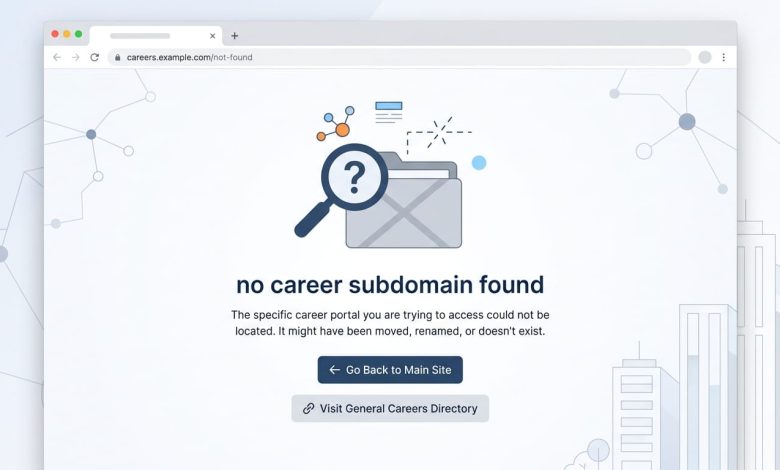
You clicked a job link, or typed careers.companyname.com straight into your browser, and instead of a list of open roles you got a strange German phrase staring back at you: “keine karriere-subdomäne gefunden.” If you don’t read German, that’s confusing on its own. If you do, it translates to “no career subdomain found,” and it’s not a phrase anyone searches for out of curiosity. It shows up because something on the technical side broke. This article explains what’s actually happening, why it happens, and what to do next, whether you’re a job seeker stuck on a dead page or a website owner trying to stop it from happening again.
What “Keine Karriere-Subdomäne Gefunden” Actually Means
Break the phrase down and it’s straightforward. “Karriere” is German for career, “subdomäne” is subdomain, and “keine gefunden” means “none found.” Put together, the message is telling you the system looked for a career-specific subdomain, something like careers.company.com or jobs.company.de, and came up empty.
This isn’t a company name, a product, or a topic with any background story. It’s a system-generated error, similar to a standard 404 page but specific to career or job-listing sections of a website. You’ll mostly run into it on sites that separate their careers section onto its own subdomain rather than keeping it under the main domain as a folder, like company.com/careers.
What Causes This Error
A missing career subdomain rarely happens for just one reason. A few technical issues tend to be behind it, sometimes stacked on top of each other.
The Subdomain Was Never Set Up or Was Removed
Some companies plan to launch a dedicated careers subdomain and never finish the setup. Others had one running, then removed it during a website redesign or platform migration without redirecting the old links. Anyone who bookmarked or shared the original URL hits a dead end.
DNS or Hosting Configuration Problems
A subdomain needs its own DNS record pointing to the right server. If that record is missing, misspelled, or was deleted during a hosting change, the subdomain stops resolving. Visitors get an error instead of a page, even if the rest of the main site works fine.
Broken or Outdated Links
Job boards, search engines, and social posts often keep old URLs cached for months or years after a company changes its site structure. Someone clicks a link from an old post, and it points to a subdomain that no longer exists.
Misconfigured ATS Integration
Most companies run job postings through an Applicant Tracking System like Greenhouse, Lever, or Workday, then connect it to their own domain through a subdomain or custom URL. If that connection breaks, whether through an expired certificate, a changed API setting, or a provider outage, the careers subdomain can stop resolving correctly, even though the ATS itself is running fine on its own platform.
How to Fix It: A Guide for Website Owners and Developers
If this error is showing up on your own company’s site, the fix depends on where the breakdown happened. Work through these in order.
- Confirm the subdomain is actually configured. Check your DNS provider’s dashboard for an A record or CNAME entry for the careers subdomain. If it’s not there, that’s your answer.
- Verify the DNS records point to the correct destination. A CNAME pointing to an old hosting provider or a decommissioned ATS instance will fail even though the record technically exists.
- Check your ATS platform’s custom domain settings. Most platforms require you to add a CNAME record on your end and verify it on theirs. If either side falls out of sync, the connection breaks.
- Set up 301 redirects for old URLs. If you’ve moved your careers page from a subdomain to a subfolder, or changed ATS providers, redirect the old address to the new one instead of leaving it dead.
- Test the subdomain from outside your own network. DNS changes can take time to propagate, and internal caching sometimes hides a problem that outside visitors are still experiencing.
- Set a reminder to recheck SSL certificates. An expired certificate on a subdomain can trigger security warnings or errors that look similar to a missing page, even when the DNS setup is correct.
What Job Seekers Can Do When They Hit This Error
If you’re the one who ran into this message while trying to apply for a job, you don’t need to wait around for the company to fix it.
- Go to the company’s main website and look for a “Careers” or “Jobs” link in the site navigation or footer.
- Search “[company name] careers” directly in Google instead of trying the subdomain again.
- Check LinkedIn, Indeed, or Glassdoor. Companies almost always cross-post open roles to at least one major job board.
- Look up the company on the ATS platform directly. Many Greenhouse and Lever job listings are also reachable through the ATS provider’s own domain, separate from the company’s site.
- Reach out through the company’s general contact form or social media if you can’t find an active listing anywhere else, and mention the specific broken link you tried.
The Takeaway
“Keine karriere-subdomäne gefunden” isn’t a brand, a tool, or a topic worth researching for its own sake. It’s a technical error meaning a company’s dedicated career subdomain is missing, broken, or misconfigured, usually because of a DNS issue, an incomplete setup, an outdated link, or a disconnected ATS integration. Website owners can typically trace it back to one of those four causes and fix it with a DNS check and a redirect. Job seekers who hit it don’t need to troubleshoot anything. Go around the broken link through the main site, a search engine, or a job board, and you’ll usually find the same listing waiting there.
FAQs
What does “keine karriere-subdomäne gefunden” mean in English?
It means “no career subdomain found” in German. It’s an error message indicating that a website’s dedicated careers subdomain, such as careers.company.com, isn’t set up or isn’t resolving correctly.
Is this a real website or company name?
No. It’s a generic error message, not a brand or product. Any company with a misconfigured careers subdomain could theoretically trigger this same message.
Why do companies use a separate subdomain for careers instead of a regular page?
A separate subdomain lets companies run their careers section on a different platform or ATS than their main marketing site, which is common when the careers page needs its own login system, application forms, or job board integration.
Can a broken careers subdomain hurt a company’s hiring?
Yes. A dead link frustrates candidates and can push them to give up before applying, which is a real cost for any company relying on that subdomain to bring in applications.
How do I check if a subdomain’s DNS is set up correctly?
Use a free DNS lookup tool and search for the subdomain’s A or CNAME record. If nothing shows up, or the record points to an address that no longer hosts the site, that’s the source of the problem.
What should I do if a company’s careers page keeps showing errors?
Try the main site’s navigation menu, search the company name plus “careers” on Google, or check LinkedIn and major job boards, since most companies cross-post their openings in more than one place.