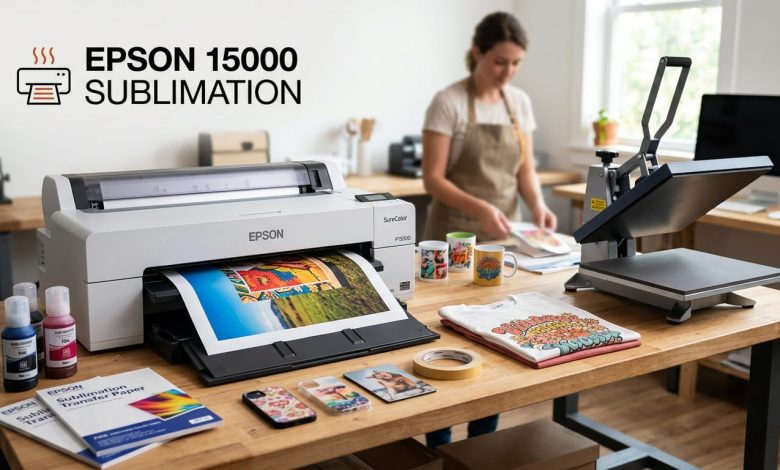
You’ve been eyeing the Epson EcoTank ET-15000 for your sublimation setup, but you keep running into mixed opinions online. Some sellers call it the best budget wide-format option out there, while forum threads warn about clogging and voided warranties. Epson 15000 sublimation conversions are genuinely popular for a reason, and this guide breaks down exactly why it works, where it falls short, and whether it fits what you’re trying to print.
What Makes the ET-15000 Convertible for Sublimation
The ET-15000 uses piezoelectric inkjet technology, which pushes ink through the print head using electrical pulses instead of heat. That distinction matters more than most buying guides explain. Thermal inkjet printers, the kind Canon and HP mostly use, heat the ink to fire it onto the page, and that heat can prematurely activate sublimation ink before it ever reaches the paper. Piezoelectric printers avoid that problem entirely, which is why Epson’s EcoTank lineup, including the ET-15000, sits at the center of most sublimation conversion guides.
Once converted, disperse dye sublimation ink sits in the tank instead of standard pigment ink. During a heat press, that dye turns to gas and bonds directly into the fibers of polyester fabric or a polymer coating, producing color that won’t crack, peel, or fade the way a print sitting on top of the fabric would.
Print Size and Output Quality
The ET-15000 supports printing up to 13 by 19 inches through its rear specialty paper feed, which puts it in wide-format territory well beyond typical letter-size EcoTank models. At a resolution of 4,800 by 1,200, it produces sharp detail and accurate color for tumblers, apparel, and larger transfer projects.
Reviewers who’ve run it against smaller EcoTank models and dedicated sublimation printers generally rate its output as strong for the price, particularly for hobbyists and small businesses producing custom apparel, mugs, and signage rather than high-volume commercial runs.
What You Give Up: Warranty and Support
Converting the ET-15000 for sublimation means filling its tanks with third-party sublimation ink instead of genuine Epson ink. Once you do that, Epson considers the warranty void, and its support team won’t troubleshoot issues tied to non-Epson ink. If something goes wrong after conversion, you’re relying on the sublimation ink supplier’s support and your own troubleshooting, not Epson’s.
This is worth sitting with before you buy. If a printer arrives defective, you’ll want to test it with the original ink first and confirm it works before converting it, since that’s the only window where Epson’s standard warranty still applies.
Real Maintenance Concerns
Converted EcoTank printers need more consistent care than their stock counterparts. Owners who’ve run multiple converted models, including the ET-8550 and ET-15000, report that going too long between print jobs increases the risk of clogged print heads, sometimes badly enough to need a replacement head after a couple of years of heavy use.
A few habits reduce that risk:
- Print something at least once a week, even a simple test page, to keep ink moving through the lines
- Run a nozzle check regularly and clean the print head as soon as you notice gaps or streaking
- Store sublimation ink and the printer itself away from extreme temperature swings
How the ET-15000 Compares to Dedicated Sublimation Printers
A converted EcoTank isn’t the only path into wide-format sublimation. Dedicated machines like the Sawgrass SG1000 or Epson’s own SureColor F570 come built for sublimation from the factory, with support and consistent ink systems included.
| Printer | Type | Approx. Starting Cost | Warranty for Sublimation Use |
| Epson EcoTank ET-15000 | Converted inkjet | Lower | Void once converted |
| Epson SureColor F570 | Dedicated sublimation | Higher | Full support included |
| Sawgrass SG1000 | Dedicated sublimation | Higher | Full support included |
The tradeoff is straightforward. A converted ET-15000 costs less upfront and prints just as large, but you’re taking on the maintenance and support risk yourself. A dedicated machine costs more but removes the guesswork around ink compatibility and warranty coverage.
Is Epson EcoTank ET-15000 Good for Sublimation?
For hobbyists, side businesses, and anyone testing whether sublimation printing is worth scaling into, the ET-15000 is a reasonable and popular starting point. It delivers wide-format printing at a fraction of the cost of a dedicated sublimation printer, and its piezoelectric print head handles sublimation ink reliably when you keep up with maintenance.
If you’re running a high-volume operation where downtime is expensive, a dedicated sublimation printer with full manufacturer support is the safer long-term investment. For everyone else, the ET-15000 conversion route remains one of the most cost-effective ways into wide-format sublimation printing.
Frequently Asked Questions About Epson 15000 Sublimation
Is the Epson EcoTank ET-15000 good for sublimation?
Yes, it’s a popular and reliable choice for sublimation printing thanks to its piezoelectric print head and 13 by 19 inch print size. It works especially well for hobbyists and small businesses, though the warranty voids once you convert it.
Does converting the Epson ET-15000 void the warranty?
Yes. Filling the tanks with third-party sublimation ink instead of genuine Epson ink voids Epson’s standard warranty, and Epson won’t provide troubleshooting support for issues tied to that ink.
What size can the Epson ET-15000 print for sublimation?
It supports printing up to 13 by 19 inches through the rear specialty paper feed, making it a wide-format option well suited to larger transfer projects and apparel printing.
How do I convert an Epson ET-15000 for sublimation?
You’ll drain and clean the original ink tanks, fill them with sublimation-specific ink, and run several cleaning cycles to flush any remaining standard ink before your first print. Detailed step-by-step conversion guides are widely available from sublimation ink suppliers.
How often should I use a converted ET-15000 to prevent clogging?
Print something at least once a week to keep ink flowing through the lines. Long gaps between print jobs are the most common cause of clogging in converted EcoTank printers.
Is the ET-15000 better than a dedicated sublimation printer like the Sawgrass SG1000?
It’s better on upfront cost and comparable on print size, but a dedicated printer like the SG1000 comes with full manufacturer support for sublimation use, which the converted ET-15000 does not have.
Can other printer brands be converted for sublimation like the ET-15000?
Not easily. Most Canon and HP printers use thermal inkjet technology, which heats ink during printing and can prematurely activate sublimation dye. Epson’s piezoelectric EcoTank lineup is the most common conversion path for this reason.
Decide If This Printer Fits Your Setup
The Epson ET-15000 earns its reputation as a solid entry point into wide-format sublimation, offering large prints and dependable output as long as you accept the tradeoff of a voided warranty and a bit more upkeep. Weigh your print volume and risk tolerance against a dedicated sublimation printer before you commit.
If you’re building out your full setup, check our guides on choosing the right sublimation paper and picking a heat press for apparel and hard-surface projects.