Old Navy Login Card: 7 Easy Steps to Activate and Manage Your Account

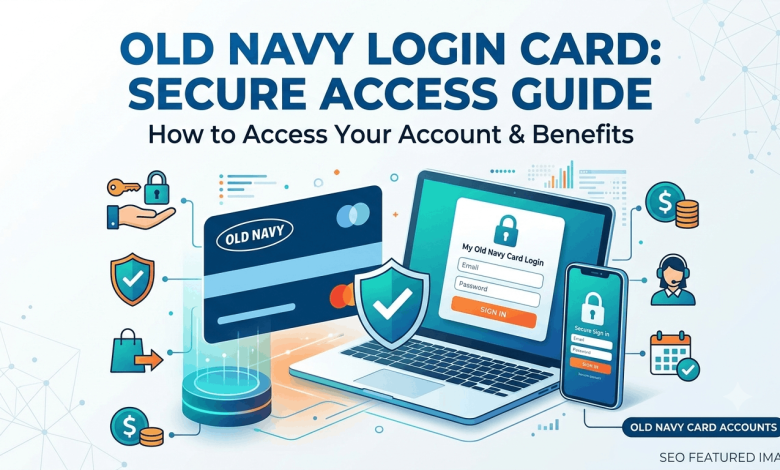
You just pulled your new Old Navy card out of the envelope, and now you’re staring at a phone number, a QR code, and a login screen that doesn’t look like the Old Navy website you shop on. That mix-up trips up a lot of new cardholders, and it’s the reason so many people search for old navy login card help before their first payment is even due.
This guide walks you through the actual login process, the activation steps at oldnavy.com/activate, and what to do if your password stops working at 11 p.m. the night before a payment deadline. You’ll also learn the difference between the Old Navy Card and the Old Navy Barclays credit card login, since a lot of the confusion online starts right there.
Old Navy Card vs. Old Navy Credit Card: Know Which One You Have
Old Navy offers two different cards, and they don’t share the same login system as your regular Old Navy shopping account.
The Old Navy Card is a store-only card. You can use it at Old Navy, Gap, Banana Republic, and Athleta, but nowhere else. The Old Navy Barclays credit card (sometimes called the Old Navy Visa or the Old Navy Navyist Rewards Mastercard) works anywhere Visa or Mastercard is accepted.
Both cards are issued and serviced by Barclays Bank Delaware, not by Old Navy itself. That’s why your login page lives on a Barclays domain instead of oldnavy.com. If you type your regular Old Navy shopping password into the card login page, it won’t work, and that’s the single most common support complaint cardholders run into.
How to Log In to Your Old Navy Card Account
Logging in only takes a minute once you know where to go.
- Go to the official card servicing page at oldnavy.barclaysus.com.
- Enter the username you created when you registered your card.
- Enter your password.
- Click Secure Login.
- If this is your first time signing in on this device, you may be asked to verify your identity by email or text.
Once you’re in, your dashboard shows your current balance, minimum payment due, payment due date, recent transactions, and your Navyist Rewards points if you’re enrolled in that program.
Logging In Through the Mobile App
You can also manage your account through the Barclays US mobile app, available on the App Store and Google Play. Download it, sign in with the same username and password you use online, and you’ll get access to your balance, payment tools, and card controls from your phone. Push notifications for payment reminders and suspicious charges are one advantage the app has over the desktop site.
How to Activate Your Old Navy Card at oldnavy.com/activate
A new card ships inactive on purpose, as a fraud protection measure. Barclays won’t process a single transaction until you confirm the card actually reached you.
Here’s how to activate it:
- Visit the activation page at oldnavy.barclaysus.com/servicing/activate (this is the page most people mean when they search for oldnavy.com/activate).
- Enter your 16-digit card number and the 3-digit security code from the back of the card.
- Confirm your identity with your occupation and the last four digits of your Social Security number.
- Submit the form to complete activation.
Prefer the phone? Call the activation number printed on the sticker attached to your card, or dial Barclays customer service directly. You can also activate through the mobile app by tapping the activation prompt after logging in.
There’s no strict deadline for activation, but an unactivated card sitting in a drawer is a card that’s not building payment history or earning rewards. Activate it as soon as it arrives.
What to Do If You Forgot Your Username or Password
Locked out happens to almost everyone eventually, and Barclays built a self-service recovery flow for exactly this situation.
Forgot your username:
- Go to the Find User ID page on the login site.
- Enter your card account number and billing ZIP code.
- Your username will display on the screen once your identity is confirmed.
Forgot your password:
- Click “Forgot Password” on the login page.
- Enter your username.
- Answer your security question or verify through a one-time code sent to your email or phone.
- Set a new password that meets the site’s complexity requirements.
If none of that works, or the account locks after too many failed attempts, calling customer service directly is faster than repeated online attempts.
Making a Payment on Your Old Navy Card
Once you’re logged in, click Make a Payment from the dashboard. You can pay the minimum due, the full statement balance, or a custom amount, and you can schedule the payment for today or a future date before it’s due.
Barclays also accepts payments by phone through an automated line, by mail to the payment address printed on your statement, or through the mobile app. Online payments post the fastest, usually within one to two business days, so it’s the better option if you’re paying close to the due date.
Setting up autopay from your account dashboard removes the risk of a missed payment altogether. You choose the amount (minimum, statement balance, or fixed amount) and the withdrawal date, and the system handles the rest each billing cycle.
Managing Rewards and Navyist Status
If you’re enrolled in Navyist Rewards, your points balance shows right on the account dashboard next to your card balance. Cardholders earn points on purchases at Old Navy, Gap, Banana Republic, and Athleta, both in-store and online, and Navyist Rewards members earn a higher rate than base cardholders.
Reaching Navyist status isn’t something you apply for. It happens automatically once you hit the required points threshold within a calendar year and keep your account in good standing. The upgrade typically processes within a few months of qualifying, and you’ll need to re-qualify each year to keep the status.
Keeping Your Account Secure
A card login tied to your credit history deserves more caution than a typical retail account. A few habits go a long way:
- Bookmark the official Barclays login page instead of clicking links from emails or texts.
- Use a password you don’t reuse anywhere else.
- Turn on account alerts for new charges, so you catch fraud within minutes instead of at the end of the billing cycle.
- Never give your card number, security code, or SSN digits to anyone who calls you claiming to be from Barclays. Hang up and call the number on the back of your card instead.
Old Navy and Barclays will never ask for your full Social Security number or password over unsolicited email or text.
Frequently Asked Questions About Old Navy Login Card
How do I log in to my Old Navy credit card account?
Go to oldnavy.barclaysus.com and enter your username and password. You can also log in through the Barclays US mobile app using the same credentials. First-time users need to register their card before logging in.
How do I activate my Old Navy card?
Visit oldnavy.barclaysus.com/servicing/activate and enter your card number, security code, occupation, and the last four digits of your SSN. You can also activate by phone using the number on the sticker attached to your card, or through the mobile app.
Is the Old Navy card the same as the Old Navy Visa card?
No. The Old Navy Card only works at Gap Inc. brands (Old Navy, Gap, Banana Republic, Athleta). The Old Navy Visa or Navyist Rewards Mastercard works anywhere Visa or Mastercard is accepted, and it offers the same store rewards plus points on outside purchases.
Who services the Old Navy credit card?
Barclays Bank Delaware issues and services the Old Navy card, the Old Navy Visa, and the Navyist Rewards cards. This is why the login page is on a Barclays domain rather than oldnavy.com.
What’s the customer service number for the Old Navy card?
Barclays customer service can be reached through the number on the back of your card or on your monthly statement. That’s the fastest way to verify your identity and resolve account-specific issues.
Can I make a payment without logging in?
Yes. You can pay by phone through the automated line, by mail to the address on your statement, or through the mobile app without a full browser login, though registering an online account gives you more control over payment scheduling.
Why can’t I log in with my regular Old Navy shopping password?
Your Old Navy card account is completely separate from your Old Navy shopping account. The card is managed by Barclays, so it has its own username, password, and login page.
How long does it take for a payment to post after I pay online?
Online payments through the Barclays site or app typically post within one to two business days. Paying a few days before your due date avoids any risk of a late payment from processing delays.
Does the Old Navy card charge an annual fee?
No. Neither the Old Navy Card nor the Old Navy Visa/Navyist Rewards cards carry an annual fee.
Get Your Card Working for You
Your Old Navy card login and your Old Navy shopping account run on two different systems, and knowing that alone solves most of the confusion cardholders run into. Activate your card at oldnavy.barclaysus.com/servicing/activate as soon as it arrives, set up autopay to protect your credit score, and keep an eye on your Navyist Rewards points so you don’t leave free perks on the table.
If you’re weighing whether this card fits your spending habits, check out our comparison of store credit cards versus general rewards cards, or read our guide on building credit with your first store card before you apply for anything else.