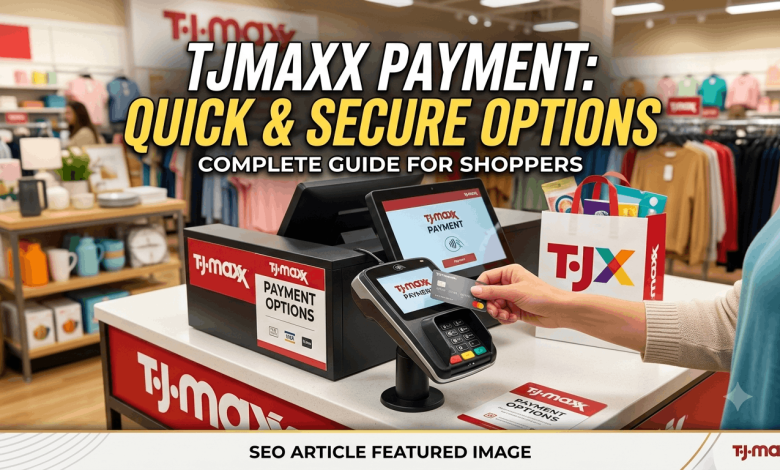
You just got a text saying your TJ Maxx card payment is due in three days, and you have no idea where to log in. That mix-up happens to a lot of cardholders because the login page isn’t on tjmaxx.com at all. Making a tjmaxx payment actually happens on a separate site built by the bank that issues the card, and once you know where to go, the whole process takes less than five minutes.
This guide walks you through exactly where to log in, how to pay your bill online, by phone, or by mail, and what to do if you’ve lost your user ID or can’t remember your password. You’ll also find answers to the most common questions cardholders search for, from checking your Rewards balance to understanding your due date.
Where to Log In to Your TJX Rewards Card
Your TJX Rewards credit card account lives at tjxrewards.com, not on the T.J.Maxx shopping site. The card itself is issued by Synchrony Bank, which handles billing, statements, and customer service for TJX Rewards cardholders.
Here’s what you’ll need to log in for the first time:
- Your 16-digit card number or Social Security number
- Your billing zip code
- A working email address to set up your username and password
Once you’re registered, you can bookmark tjxrewards.com and log in going forward with just your username and password. If you shop at T.J.Maxx, Marshalls, or HomeGoods often, it’s worth linking your card to your store account too, since that lets your Rewards Certificates show up automatically at checkout instead of you having to type in a code.
Step-by-Step: How to Pay Your TJ Maxx Bill Online
- Go to tjxrewards.com and click the sign-in button in the top right corner.
- Enter your username and password. First-time users should click “Register” and follow the prompts using their card number and zip code.
- Select “Make a Payment” from your account dashboard.
- Choose your payment amount. You can pay the minimum due, the full statement balance, or a custom amount.
- Link a bank account or debit card. You’ll need your routing and account number for a checking or savings transfer.
- Pick your payment date. Same-day payments are usually available if you submit before the site’s daily cutoff time, which is typically shown right on the payment screen.
- Confirm and submit. Save or screenshot your confirmation number in case you need to reference the payment later.
Payments made through the website generally post within one to two business days. If your due date is tomorrow, a same-day electronic payment is your safest bet rather than mailing a check.
Other Ways to Pay Your TJX Rewards Bill
Not everyone wants to pay online, and that’s fine. Synchrony Bank gives cardholders a few backup options.
Pay by Phone
Call the automated payment line and follow the prompts to pay with a checking account or debit card. For the standard TJX Rewards Credit Card, customer service can be reached at 1-800-952-6133. Platinum Mastercard holders should call 1-877-890-3150. Have your card number ready before you call, since the automated system asks for it right away.
Pay by Mail
Mailed payments go to the address printed on your paper billing statement, not to a TJ Maxx store. Mail-in payments take the longest to post, often five to seven business days, so this option only makes sense if your due date is comfortably far away.
Pay in the App
If you’ve linked your card to the T.J.Maxx, Marshalls, or HomeGoods app, some account management features are available there, though full bill pay functionality is still handled through the tjxrewards.com mobile site.
What to Do If You Forgot Your User ID or Password
This is one of the most common reasons people end up searching for tjmaxx payment help in the first place. Synchrony Bank’s login page has built-in recovery tools for both problems.
- Forgot your user ID? Click “Forgot User ID” on the sign-in page and enter your card number, name, and zip code. Your user ID will be emailed to the address on file.
- Forgot your password? Click “Forgot Password” and verify your identity with your user ID and either your card number or Social Security number. You’ll set a new password immediately.
- Account locked after too many attempts? Wait about 30 minutes, or call customer service directly to unlock it faster.
If none of these tools work, or your email on file is outdated, a phone call to customer service is the fastest fix. Have a government ID and your card number ready, since they’ll verify your identity before making any changes.
Understanding Your TJX Rewards Bill and Due Date
Your statement closes on the same date every month, and your payment is typically due about 25 days after that closing date. The exact numbers are printed at the top of every paper and electronic statement, so check there first if you’re unsure.
A few things worth knowing about how billing works on this card:
- Minimum payments are calculated based on your balance and any interest or fees, similar to most store credit cards.
- Interest accrues daily on any balance you carry past the due date, so paying in full each cycle is the only way to avoid it entirely.
- Autopay is available inside your online account under payment settings, and it can be set to pay the minimum, statement balance, or a fixed amount every month.
- Paper statement fees may apply if you haven’t opted into paperless billing, so switching to electronic statements is worth doing even if you don’t plan to log in often.
Setting Up Autopay So You Never Miss a Due Date
Late fees on store credit cards add up fast, and a missed payment can also ding your credit score. Setting up autopay takes about two minutes:
- Log in to tjxrewards.com and go to your account dashboard.
- Click “AutoPay” or find it under account settings.
- Choose whether to pay the minimum due, full balance, or a fixed amount each month.
- Confirm your linked bank account and the day of the month you want payments to process.
- Review the terms and turn autopay on.
You can turn autopay off or change the amount anytime before your next billing cycle closes, so it’s not a permanent commitment if your budget changes.
Checking Your Rewards Balance and Certificates
Since the TJX Rewards card is built around a loyalty program, most cardholders check their account for Rewards Points as often as they check their balance. Every 1,000 points earns a $10 Rewards Certificate, and cardmembers typically earn 5 points per dollar spent across T.J.Maxx, Marshalls, HomeGoods, Sierra, and Homesense.
If you’ve enrolled in electronic statements, certificates usually show up in your online account within about 48 hours of qualifying. From there, you can either print them for in-store use or, if your card is linked to your store account, redeem them automatically at checkout without doing anything extra.
Is the TJX Rewards Card Worth Keeping Open?
If you shop the TJX family of stores regularly, the points add up quickly since there’s no cap on how much you can earn. The tradeoff is a high APR typical of store cards, so it only makes financial sense if you pay your balance in full every month. Carrying a balance on this card long-term will usually cost more in interest than the Rewards Certificates are worth.
The Platinum Mastercard version adds a bit more flexibility since it earns points on gas, grocery, and restaurant purchases too, and it can be used anywhere Mastercard is accepted, not just at TJX stores.
Frequently Asked Questions About TJ Maxx Payment
How do I make a tjmaxx payment online?
Log in to your account at tjxrewards.com, select “Make a Payment,” choose your amount and linked bank account, then confirm. Payments submitted before the daily cutoff time typically post within one to two business days.
What is tjxrewards.com used for?
Tjxrewards.com is the official account management site for the TJX Rewards Credit Card and Platinum Mastercard, both issued by Synchrony Bank. You use it to pay your bill, check your statement, view Rewards Points, and update your account details.
Is TJX Rewards the same as TJ Maxx credit card login?
Yes. TJX Rewards is the name of the loyalty program and card, and tjxrewards.com is where you complete your TJ Maxx credit card login whether you’re a T.J.Maxx, Marshalls, or HomeGoods cardholder.
Can I pay my TJ Maxx bill in-store?
No. TJX stores don’t process credit card payments at the register. You need to pay online at tjxrewards.com, by phone, or by mail to Synchrony Bank.
What number do I call to pay my TJX Rewards bill by phone?
Call 1-800-952-6133 for the standard TJX Rewards Credit Card, or 1-877-890-3150 for the TJX Rewards Platinum Mastercard. Both lines offer automated payment options.
How long does a tjmaxx bill pay online take to post?
Online payments made before the site’s daily cutoff usually post within one to two business days. Same-day payments may be available depending on your submission time.
What happens if I miss my TJX Rewards payment due date?
You’ll likely be charged a late fee and interest will continue accruing on your balance. A missed payment can also be reported to credit bureaus if it goes 30 days past due, so it’s worth calling customer service right away if you know you’ll be late.
Can I check my TJX Rewards balance without logging in?
Not in full detail. Basic balance checks require signing in to tjxrewards.com, though if your card is linked to your T.J.Maxx or Marshalls account, some Rewards information may appear when you’re signed in to those sites.
Does the TJX Rewards card have an annual fee?
No, the TJX Rewards Credit Card and Platinum Mastercard both come with no annual fee, according to the card’s published terms.
Next Steps for Managing Your TJX Rewards Account
Making a tjmaxx payment comes down to one site, tjxrewards.com, and a handful of backup options if you’d rather pay by phone or mail. Setting up autopay and paperless statements is the easiest way to avoid late fees and keep your Rewards Points rolling in without extra effort.
If you’re weighing whether a store credit card fits your budget, check out our other guides on comparing store credit cards and building a simple monthly bill-pay routine on reuterings.com.