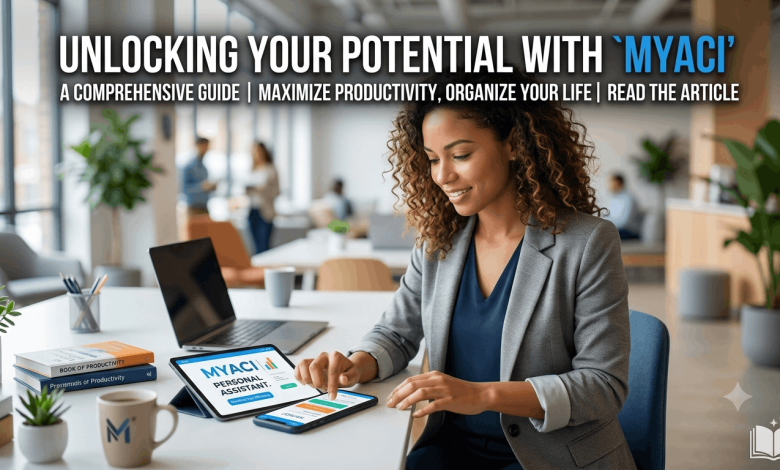
You clocked out an hour ago, you’re standing in the parking lot, and you still don’t know if you’re working the Saturday morning shift or the Saturday close. That’s the exact moment MyACI Albertsons becomes the most useful app on your phone. This portal is the login system every Albertsons, Safeway, and Vons employee uses to check schedules, view pay stubs, and manage benefits from one place. Below, you’ll find the full login process, what to do when the page won’t load, and how to use the system once you’re inside.
What Is MyACI Albertsons?
MyACI stands for My Albertsons Companies Inc. It’s the employee self-service system built for every associate working under the Albertsons Companies umbrella, which covers Albertsons, Safeway, Vons, Jewel-Osco, Shaw’s, Acme, and several other regional grocery banners.
Before MyACI, Safeway employees used a system called Direct2HR. Albertsons has since folded that system into MyACI, so anyone searching for “Direct2HR” or “Safeway ESS” today gets routed to the same platform. The portal runs on Oracle’s cloud application, which is why the login screen looks like an Oracle sign-in page rather than a typical company website.
Once you’re signed in, MyACI gives you a single dashboard for:
- Your weekly work schedule
- Pay stubs and W-2 tax forms
- Health, dental, and vision benefits
- Personal contact and emergency information
- Company training modules and announcements
If you’ve ever asked what MyACI Albertsons actually does, that list is the short answer. It replaced a handful of older, separate tools with one login.
How to Log In to MyACI Albertsons
The login process is short, but the details matter. Miss a capital letter in your User ID, and you’ll get locked out faster than you’d expect.
- Open your browser and go to myaci.albertsons.com. Type the address directly instead of clicking a link from a text or email, since phishing pages tend to copy this exact login screen.
- On the Oracle sign-in page, select Company Single Sign-On.
- Enter your credentials. Retail associates typically sign in with their Employee ID followed by @safeway.com. Corporate, pharmacy, and supply chain staff usually use their LDAP username followed by @safeway.com.
- Click Next, then enter your password on the following screen.
- Select Sign In, and you’ll land on your personal MyACI dashboard.
First-Time Login Setup
New hires get a temporary User ID and password from their store director or HR representative during onboarding. The first login will prompt you to set a permanent password and, in many locations, walk you through an identity verification step. Save the new password somewhere secure right away, since you’ll need it for every future visit.
Logging In From a Store Computer or Personal Device
If you’re using a shared computer at your store, open a private or incognito browser window before signing in. This prevents the next employee who uses that terminal from accidentally staying logged into your account. On a personal phone or tablet, the site is mobile-friendly, so you don’t need a separate app to check your schedule on the go.
MyACI Schedule Login: Checking Your Work Week
The schedule feature is the reason most employees open MyACI in the first place. After logging in, look for the My Schedule or Time and Attendance tile on your dashboard. This section shows your upcoming shifts, lets you request time off, and in most locations, lets you view shift-swap requests from coworkers.
Schedules typically post one to two weeks ahead, though the exact timing depends on your store’s staffing practices. If your shift doesn’t show up when you expect it, check with your store director before assuming there’s a system error. Sometimes schedules get finalized later than usual around holidays.
What You Can Do Once You’re Signed In
MyACI covers more ground than just schedules and pay. Here’s what’s available inside the portal:
- Payroll and tax documents. View current and past pay stubs, and download your W-2 during tax season.
- Benefits enrollment. Review your medical, dental, and vision coverage, and make changes during open enrollment windows.
- Personal information updates. Change your mailing address, phone number, or emergency contact without calling HR.
- Training and development. Complete required compliance courses and browse optional learning modules tied to your role.
- Company announcements. Read policy updates and corporate news posted by management.
A detail worth knowing: not every tile is visible to every employee. Access depends on your role and location, so a pharmacy associate’s dashboard won’t look identical to a retail cashier’s.
Common MyACI Login Problems and How to Fix Them
Login issues are common enough that Albertsons keeps a dedicated help line running. Here’s how to work through the usual suspects before calling anyone.
Wrong username or password error. Double-check Caps Lock first. Both fields are case-sensitive, and a stray capital letter is the most frequent cause of failed logins.
Page won’t load or times out. Clear your browser’s cache and cookies, then try again. Outdated browser data is a known cause of loading failures on the Oracle login page.
Account locked after multiple attempts. The system locks accounts after a set number of failed tries as a security measure. Use the Forgot Password link to reset, or contact the Albertsons Service Desk at 877-286-3200 if the reset link doesn’t arrive.
Forgot your User ID entirely. Reach out to your store director or HR representative. They can pull it up from your employee file faster than IT support can.
If none of that works, the Service Desk can verify your identity and reset your access directly. Keep your employee ID number handy before you call, since they’ll ask for it.
MyACI vs. the Old Direct2HR System
If you’ve worked for Safeway longer than a few years, you probably remember Direct2HR. Albertsons retired that name after its merger integration, moving all Safeway employee accounts onto the MyACI platform. The features carried over largely intact: schedules, pay, and benefits work the same way, just under a new login screen and a different back-end system built on Oracle rather than the older PeopleSoft software Direct2HR ran on.
This matters if you’re searching for “Safeway ESS” or “Direct2HR login” today. Those searches lead to MyACI now, and there’s no separate portal to dig up. If a coworker mentions Direct2HR, they’re talking about the same system you already have access to.
Keeping Your MyACI Account Secure
Your MyACI account holds tax documents, banking details for direct deposit, and personal contact information, so it’s worth locking down properly. The system uses encryption and multi-factor authentication, but a few habits on your end make a real difference:
- Never share your login credentials with a coworker, even to help them check a schedule.
- Log out completely on shared store computers instead of just closing the browser tab.
- Set a password that mixes upper and lower case letters, numbers, and a symbol, and avoid anything tied to your birthday or a pet’s name.
- Enable two-factor authentication in your security settings if your location supports it.
If you notice login activity you don’t recognize, report it to your store director and the Service Desk the same day.
Frequently Asked Questions About MyACI Albertsons
What is myaci albertsons?
MyACI Albertsons is the official employee self-service portal for Albertsons Companies, covering Albertsons, Safeway, Vons, and related grocery banners. It gives employees one login for schedules, pay stubs, benefits, and personal information.
How do I check my schedule on MyACI?
Log into myaci.albertsons.com, then open the My Schedule or Time and Attendance tile on your dashboard. Your upcoming shifts, time-off requests, and shift-swap activity all appear there, usually one to two weeks in advance.
What do I use as my username for myacialbertsons?
Retail associates generally sign in with their Employee ID followed by @safeway.com, while corporate and pharmacy staff use their LDAP username in the same format. Your manager or HR representative provides this during onboarding if you’re unsure.
I forgot my MyACI password. What now?
Click Forgot Password on the sign-in screen and follow the reset steps sent to your registered email. If the reset email never shows up, call the Albertsons Service Desk at 877-286-3200 for direct help.
Can I access MyACI from my phone?
Yes. The site works in any mobile browser without needing a separate app. Just type myaci.albertsons.com directly into your phone’s browser rather than tapping a link from a text message.
Is MyACI the same as Direct2HR?
Effectively, yes. Albertsons moved former Safeway Direct2HR accounts onto the MyACI platform, so anyone searching for Direct2HR today lands on the same login system described in this guide.
Why does my dashboard look different from my coworker’s?
Access depends on your job role and store location. A pharmacy employee, a corporate staff member, and a retail cashier each see a different set of tiles based on what applies to their position.
Who do I contact if MyACI is down for everyone at my store?
Report it to your store director first, since a full outage often affects the whole location and gets escalated from there. You can also call the Service Desk at 877-286-3200 to confirm whether it’s a wider system issue.
Bookmark It and Save Yourself the Guesswork
MyACI Albertsons puts your schedule, pay stubs, and benefits behind one login, and once you’ve set it up correctly, checking next week’s shift takes under a minute. Save the login page to your phone’s home screen, keep your password updated, and call the Service Desk the moment something looks off. For more workplace and account guides like this one, check out our related articles on employee self-service portals and workplace scheduling tools on Reuterings.